

Five things to check, in this order. The first two cover most cases.
1. The app embed is on, on your published theme
Online Store → Themes → Customize or Edit theme → App embeds → Swatchfy Variant Images, then Save.
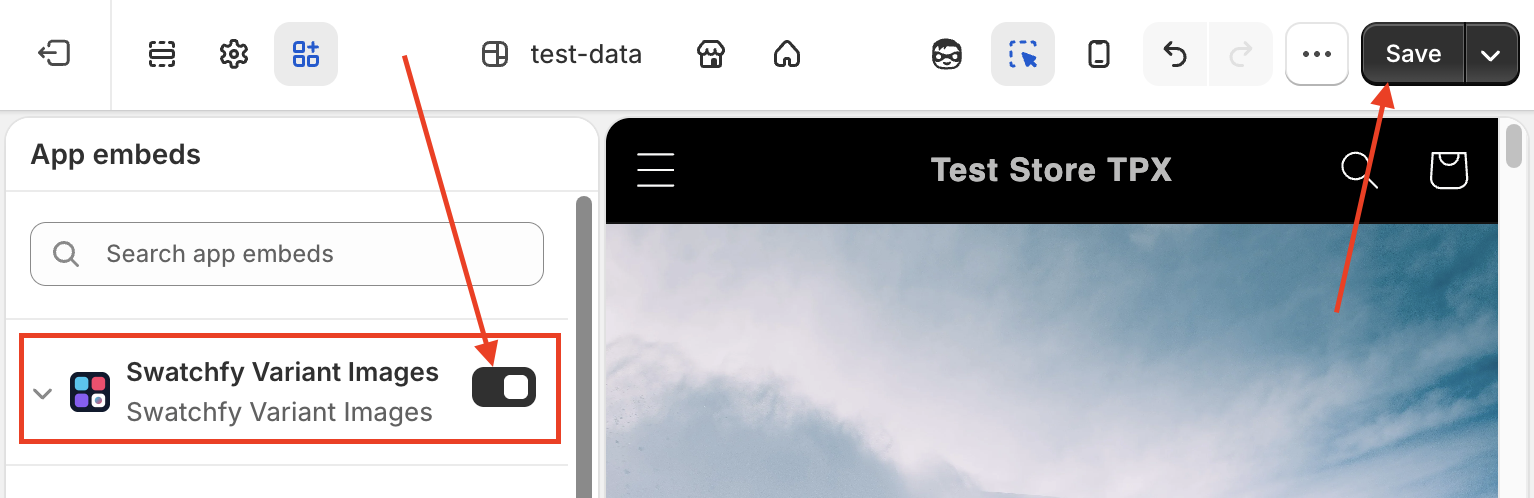
This embed is Swatchfy's on/off switch — there is no separate swatch toggle inside the app. Embeds are stored per theme, so if you recently switched or duplicated a theme, it is Off on the new one even though it was On before.
2. Your theme's variant picker is still switched on
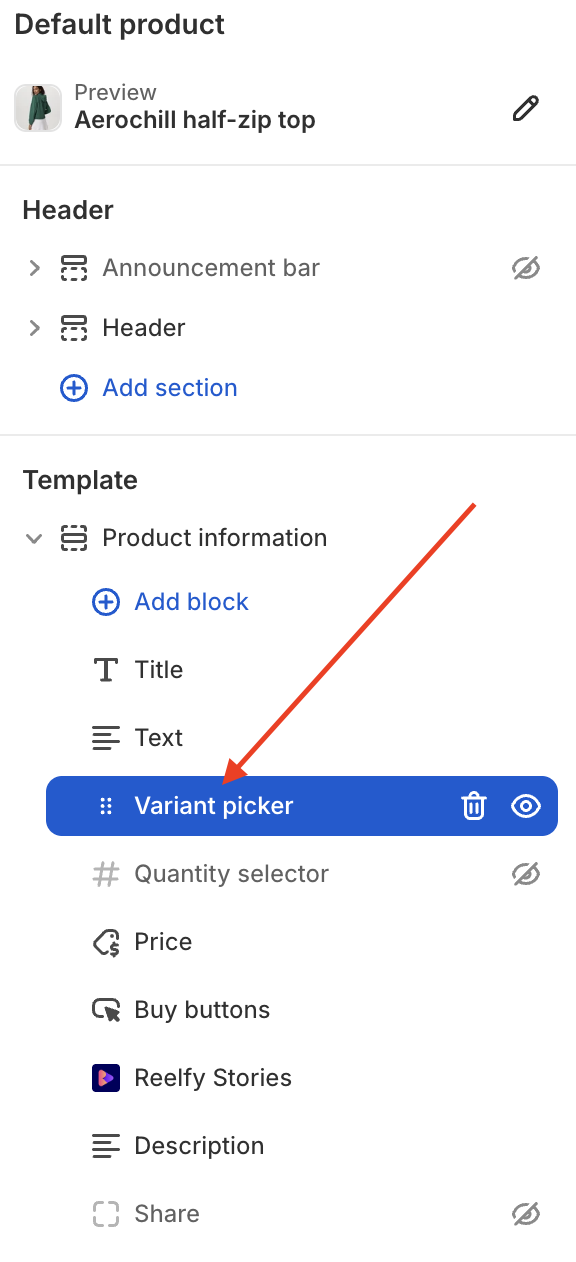
Swatchfy does not replace your theme's picker — it hides it and drives it. If you removed the Variant picker block from your product template, there is nothing for Swatchfy to attach to, and it renders no swatches rather than controls that cannot work.
Leave the theme's variant picker block on. Swatchfy hides it for you.
3. The option has a display mode set
Open Swatchfy → Variant swatches. Every option has a Product page display and a Collection page display, and either can be set to Do not show.
Nothing on the product page → check Product page display.
Nothing on collection cards → check Collection page display.
If the option is not in the table at all, press Sync data so Swatchfy reads it from your catalogue.
4. The product is inside your tag scope
If you limited Swatchfy to products carrying a certain tag (Settings → Apply to), a product without that tag shows nothing however everything else is set. Add the tag, or set the scope back to all products.
Still nothing?
Send us the product URL and your theme name and we will tell you exactly which check is failing — see How do I check whether a problem is caused by Swatchfy?.